

















< Previous | Contents | Manuals Home | Boris FX | Next >
Multi-Export
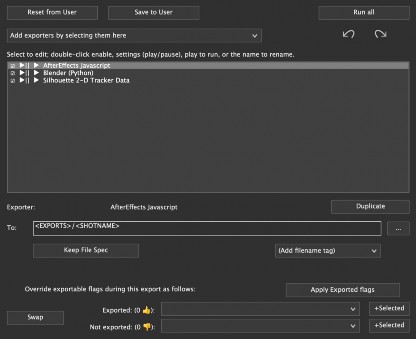
Multi-Export centralizes your entire exporting process by letting you configure multiple exporters – each with its own settings, file paths, and naming conventions – and run them all at once. The Multi-Export Configuration dialog lets you save different exporter sets for each client, job, or specific deliverable requirement, then quickly load them to minimize prep work. By integrating with SynthEyes’s tag system, Multi -Export ensures consistent outputs across multiple shots and projects, streamlining deliverables for Blender, After Effects, Nuke, and more in a single operation.
Add ExportersSave Presets
Using Duplicate
Set Paths and Tags
Exportable Flags
Export / Run All
Subfolders and Suffixes
Exporting Image Sequences via Multi‐Export
Advanced Notes and Automation
Summary
©2026 Boris FX, Inc. — UNOFFICIAL — Converted from original PDF.
