

















< Previous | Contents | Manuals Home | Boris FX | Next >
(Optional) Managing Existing Libraries
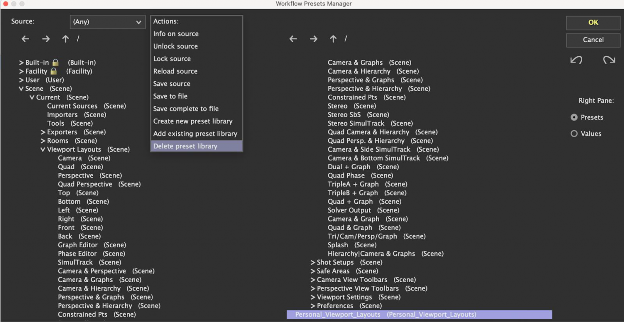
Adding an Existing Library. Click Actions > Add Existing Preset Library.
Browse to and open the .synopreset file. The imported library will now be available in the Scene hierarchy for use.
Deleting an Unwanted Library. Locate the preset library you wish to remove. Click Actions > Unload preset library. Confirm the deletion (this action is irreversible unless you have a backup).
©2026 Boris FX, Inc. — UNOFFICIAL — Converted from original PDF.
