
















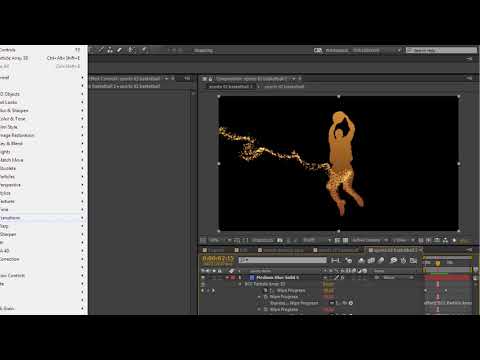
Ever wonder how seemingly random particles fly or whirl across the screen to
create an image? Senior Product Manager, Dirk de Jong, shows you how BCC
Particle Array 3D
in Adobe After
Effects can be used to create the effect. Plus, learn the ins-and-outs of
fractal noise and control maps, and discover how BCC Film Glow
, BCC Glint
, BCC Linear Wipe
, and BCC Rays
Puffy can be added for a highly stylized look that pops. Download Project
File.
Filters Used Include: Particle Array 3D, Linear Wipe, Glint, Film Glow, Rays
Puffy
Featured Unit: Particles, Transitions, Lights, Film Style
Subscribe to our newsletter
Get all the latest news, blog posts and product updates from Boris FX, delivered directly to your inbox.
Welcome!
Thanks for opting-in to our newsletter. You'll receive an email momentarily with your confirmation.
