
















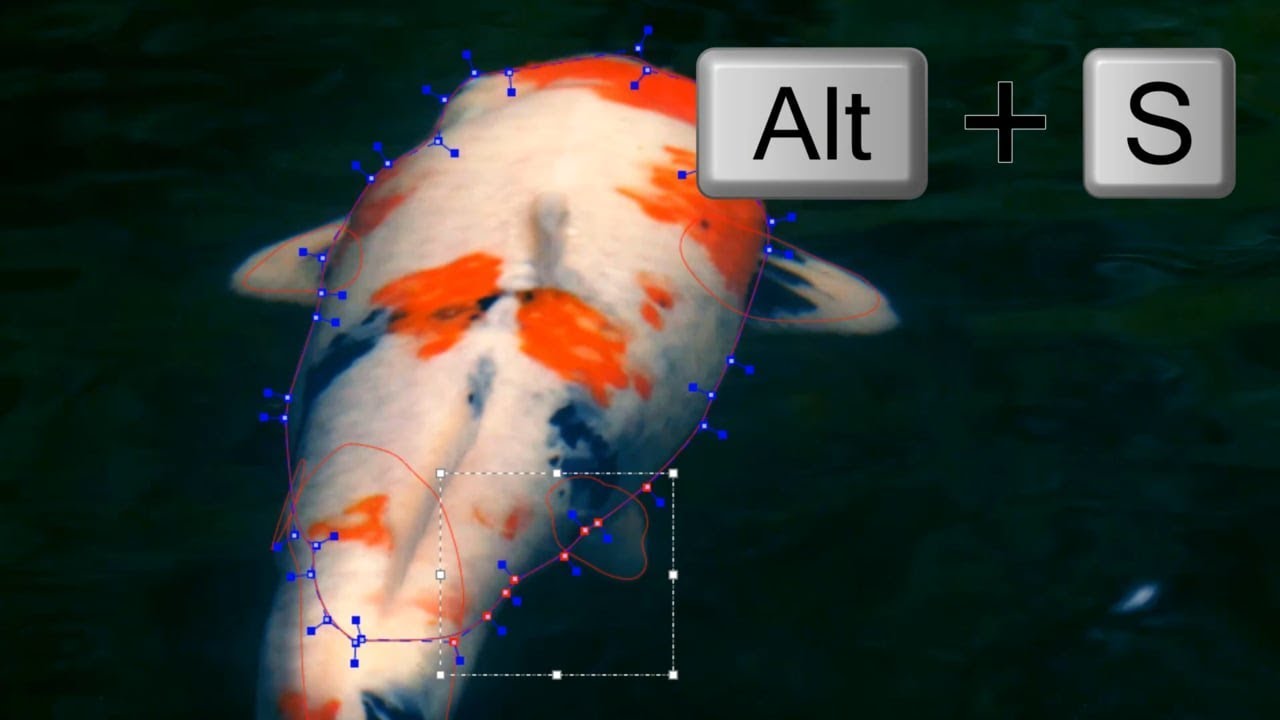
Mocha Pro 2019.5 now features Edge-Snapping splines for enhanced roto and masking shots. After creating a Mocha shape, use the following keyboard shortcuts to activate edge-snap:
Alt+S keys to snap selected control points
OR
Hold S key for snap drag selected points
Follow along with Mocha specialist, Mary Poplin in this quick tutorial and learn how to roto with fewer keyframes. Choose from Bezier, X-Spine, magnetic spline or freehand tools. Link splines to planar tracking, then use edge-snapping to speed up the process.
New Edge-Snapping functionality is found in Mocha Pro 2019.5 and will soon be included in Boris FX’s upcoming Continuum and Sapphire 2019.5 releases.
Subscribe to our newsletter
Get all the latest news, blog posts and product updates from Boris FX, delivered directly to your inbox.
Welcome!
Thanks for opting-in to our newsletter. You'll receive an email momentarily with your confirmation.
